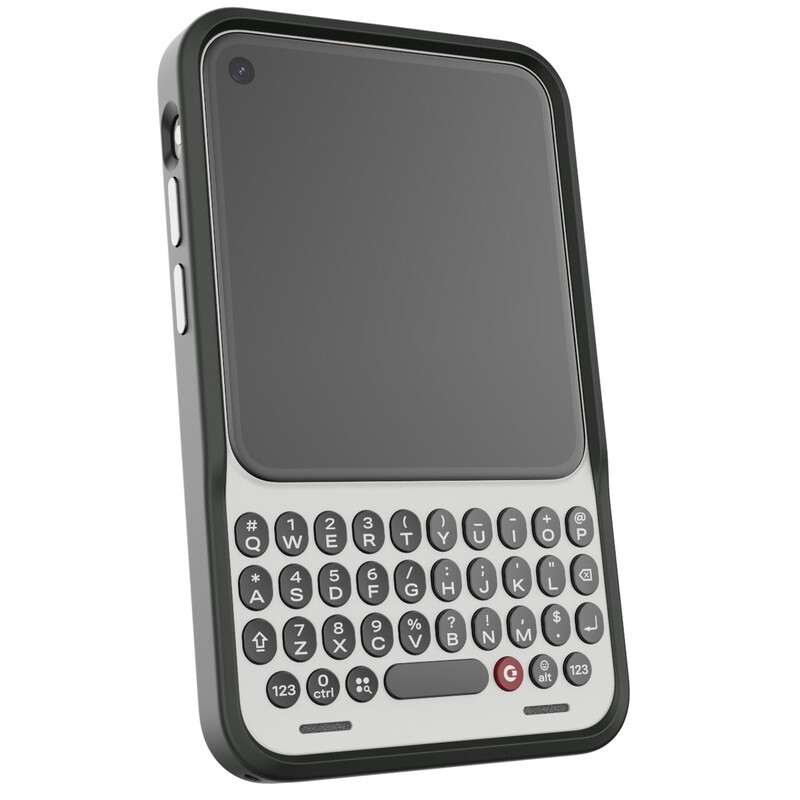
Meet the first accessory for the Clicks Communicator — the Communicator Ring, a minimalist bumper case that combines an added layer of protection for the phone while complimenting its design.
Every aspect of Communicator has been thoughtfully designed, from the shape of the back cover that sits perfectly in your hands, to the surfacing of the keys and the bottom chin that make for an amazing typing experience.
When we set out to build Communicator, we gave ourselves a goal to design a phone that people felt confident using without a case.
This design brief led to clever industrial design decisions like the raised chin to protect the keys and the tapered back that makes Communicator easy to pick up off a table and hold with confidence.
While many people have said that they plan to use Communicator naked, without a case, we've heard from reservation-holders who want the added protection of a case. This reflects global smartphone accessory data that suggests that 75% of people, or more, use a case with their phone.
As we approached a protection solution for Communicator we set out some new design principles. It should protect the mid-frame, display and keyboard while preserving the personality of the back Covers and the context offered by the Signal Light.
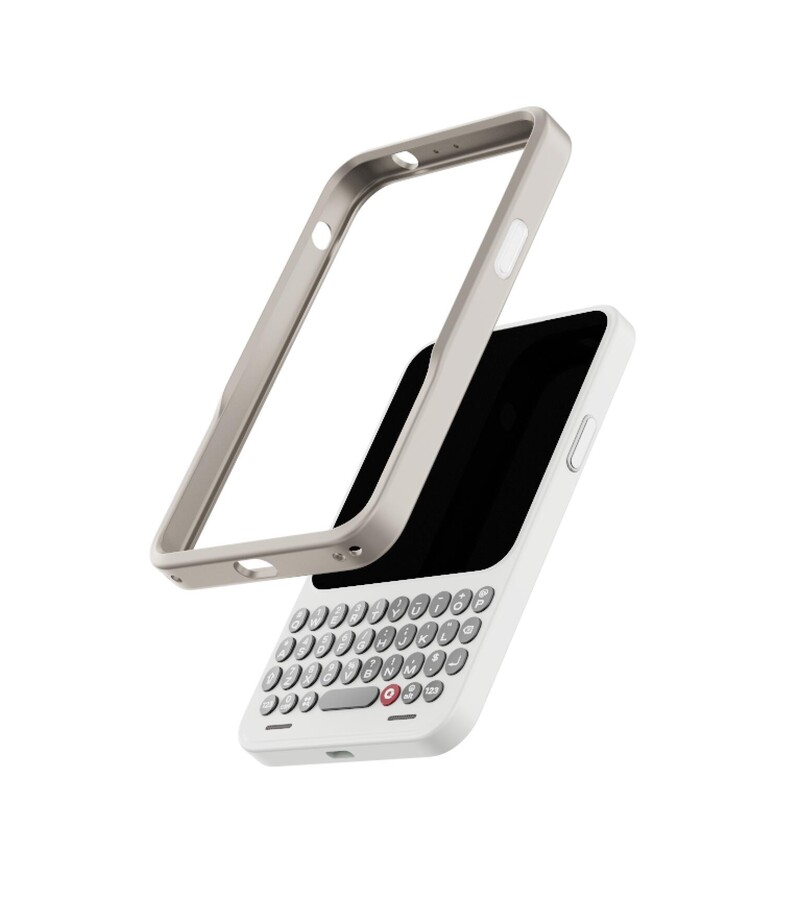
The Communicator Ring is made from a combination of hard polycarbonate and flexible TPU thermoplastic polyurethane that provides a rigid structure. Joints blended seamlessly into the structure expand ever so slightly to make it easy to install and remove while holding it firmly in place on the phone with the help of a moulded channel that surrounds the midframe.
A ridge extends around the back edge of Communicator, offering protection for the back Cover while allowing you to interact with its natural texture and show off its color.
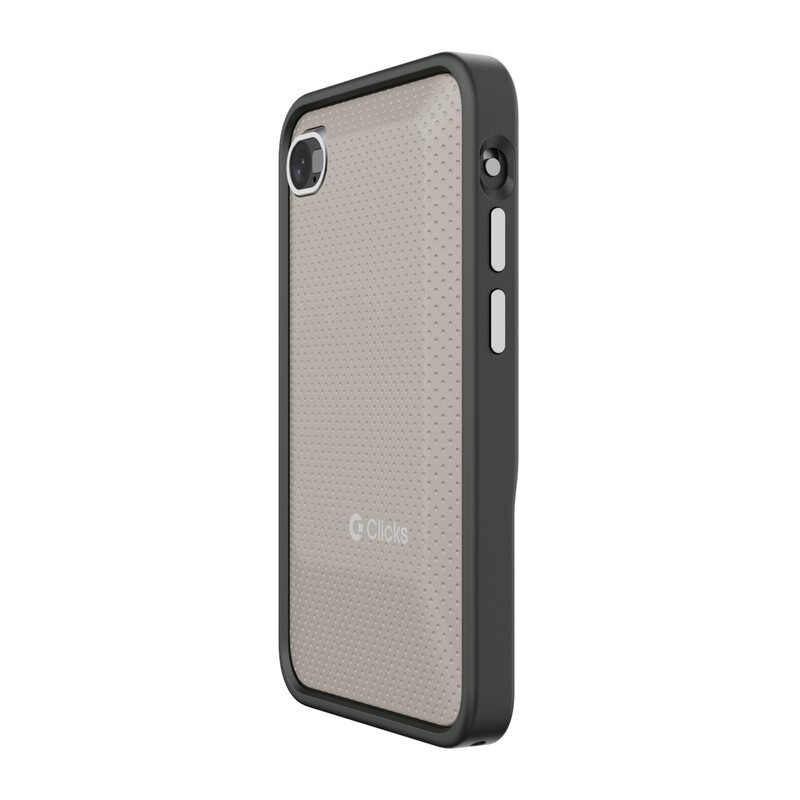
On the front, the side rails of the Communicator Ring sit just above the raised display to protect the cover glass. Those rails dip down as the Ring frames the keyboard, ensuring that the typing experience is preserved.
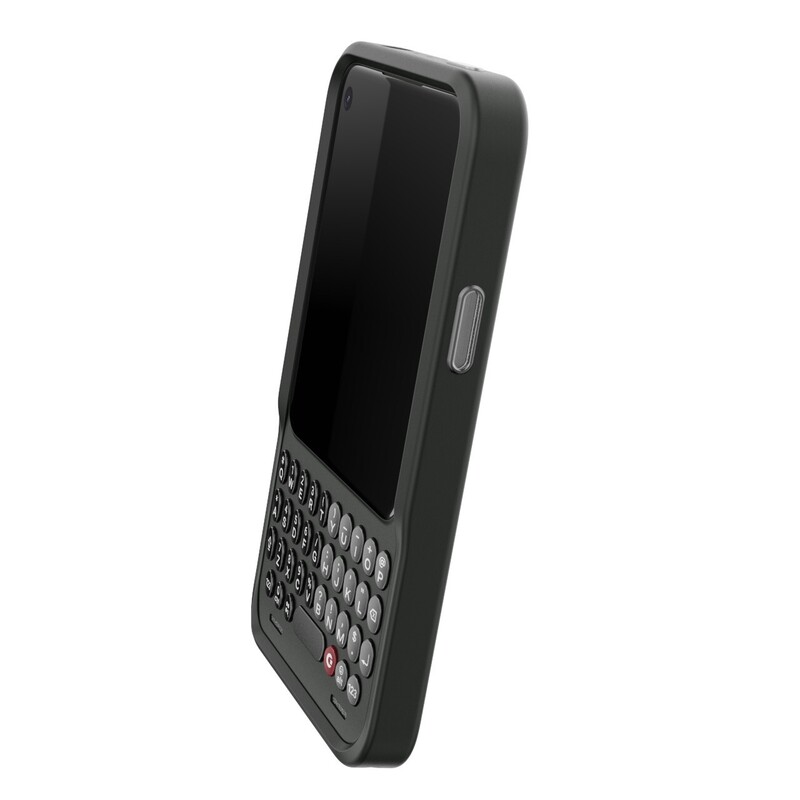
The bumper then tapers up around the chin. This once again creates a recessed area that protects the keys from scuffs if placed face down on a table.
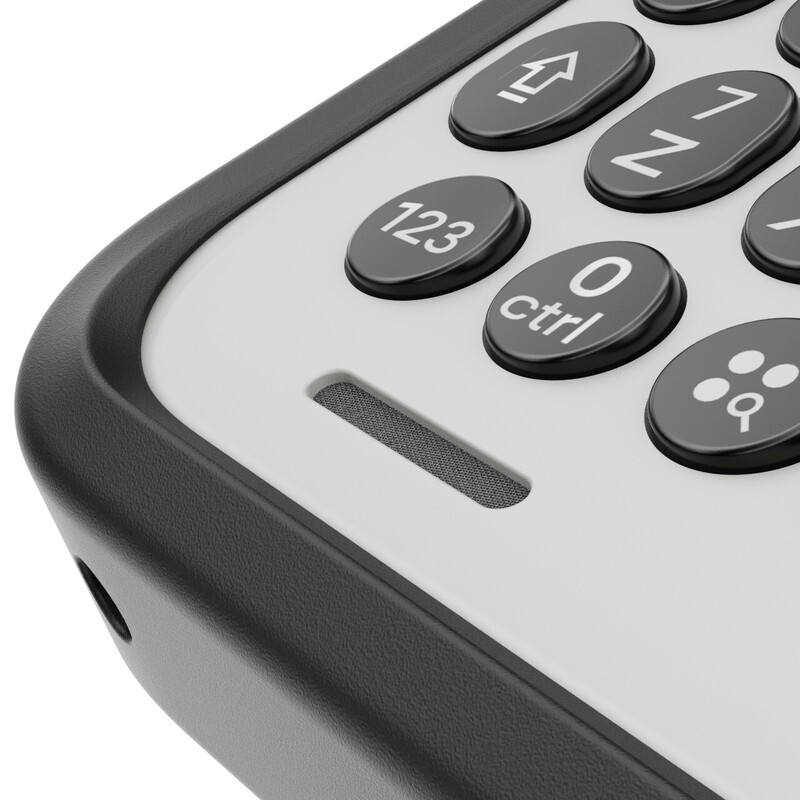
Moving to the sides, the Communicator Ring has been designed to work seamlessly with the Signal Light and Prompt Key. The outer frame of the Prompt Key is frosted to glow with the Signal light to help communicate which contact, chat or item is looking to get your attention. The light guide and button press as one combined element making it easy to use the Prompt Key to trigger speech to text.
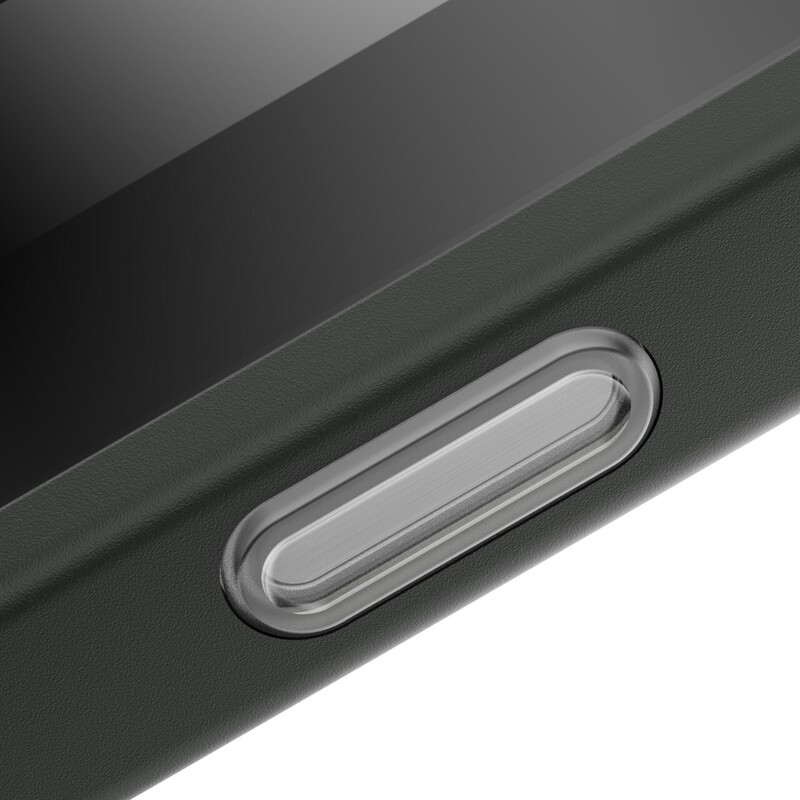
Metal key caps and a chamfered cut out pair perfectly with the kill switch and volume rocker on the opposite side along the power button at the top.
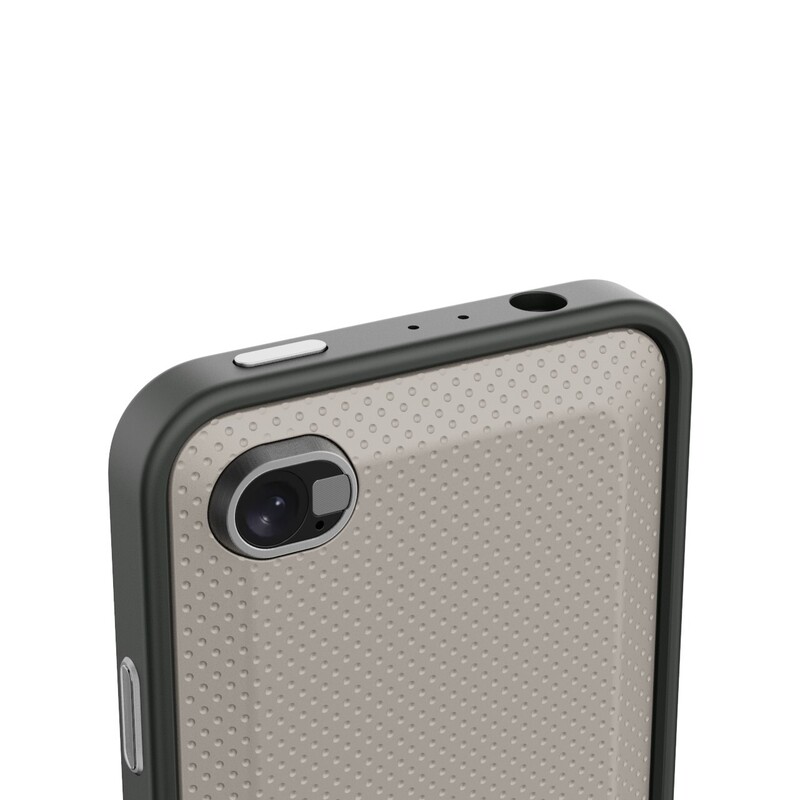
The Communicator Ring also incorporates lanyard attachment points on the bottom corners that make it easy to use Communicator with a cross body strap or wrist loop.
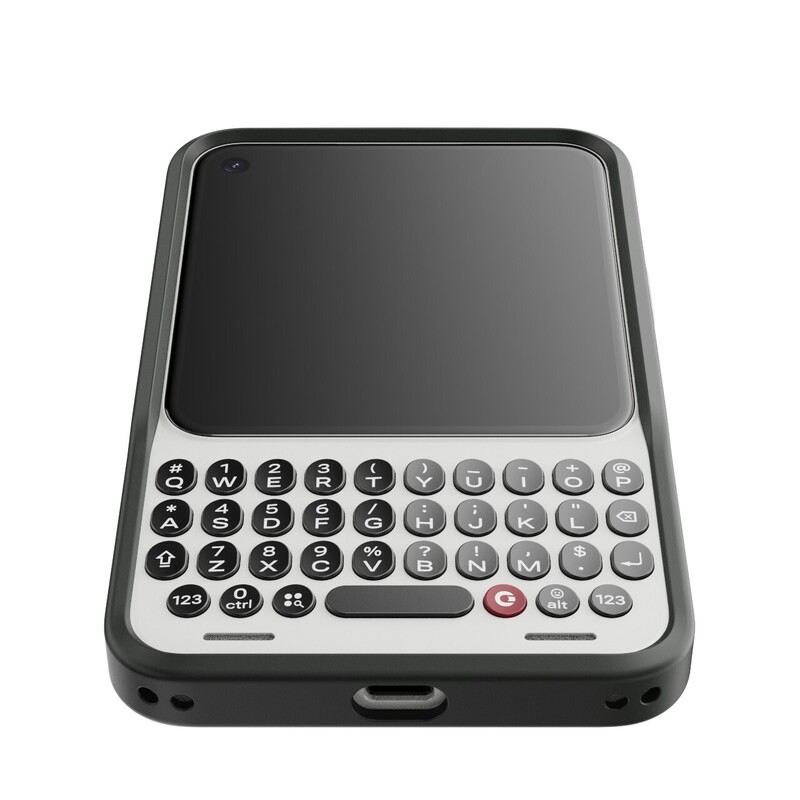
Our goal was to create a case that worked so seamlessly with Communicator that it didn't look like it had a case on it at all. The Communicator Ring adds an additional level of protection to an already robust design, without detracting from the form or function of Communicator.
The Communicator Ring will be available to order when reservations are converted to orders this fall.
Learn more and pre-order the Clicks Communicator at ClicksPhone.com.
Read more
The Power User's Guide For The Clicks Power Keyboard
The Clicks Power Keyboard is a command center for your whole tech ecosystem. And once you push past the basics of typing, to get the most out of your Power Keys, try these tips and tricks!
How to Use Clicks Power Keyboard Across Your Gadgets
Treating the Power Keyboard solely as a phone accessory leaves its best capabilities on the table. This guide will share some ways users have told us they now count on Power Keyboard for their whole tech ecosystem.
What is ‘premium’? It’s more than meets the eye.
Everything about Clicks Communicator has been designed to deliver a premium communication experience from the inside, out.

Does the Clicks Power Keyboard Work with Samsung Galaxy Phones?
At Clicks, we believe your technology should work for you, not against you. Since the beginning, we've been dedicated to helping people reclaim their screen real estate and rediscover the precision that only a physical keyboard can provide. With the launch of the Clicks Power Keyboard, we're bringing that high-performance tactile experience to a massive new world of devices....