Starting today, you can configure your Clicks Communicator and convert your reservation into an order. Also starting today, any new orders placed will follow the configuration flow outlined here.
1. Look out for an email
If you have already reserved Communicator this year you'll get an email inviting you to configure your order. Be sure to use the same email that you used when reserving your Communicator so we can find your order in our system.
2. Select the order you want to configure
You'll be presented with any existing reservations tied to your email address. You'll see what's included in your order, based on when you reserved and whether you paid in full or have made a reservation deposit. Choose the one you want to configure.
3. Explore the configuration tool
Our team has built an amazing workflow that allows you to preview the different color Communicator bodies, back Covers, and accessories from dbrand and Clicks. You can also add Clicks Care and learn more about Clicks Mobile.
3.1 Keyboard languages:
- You'll be presented with keyboard language layouts available to you depending on which country you are in. Note: not all keyboard languages are available in all countries.
3.2 Communicator Colors:
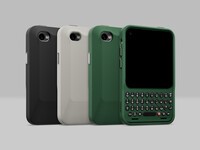
- Choose between the three stunning body colors: Smoke, Onyx and Clover.
- Each color ships with a default Charging Cover. You can preview those pairings in the configuration tool.
3.3 Charging Covers
- Browse the portfolio of Charging Cover options. You'll be able to see what they look like when paired with the Communicator color you selected in the previous step.
- If you're entitled to free Covers based on your reservation type, you can add them here. Or you can add additional Charging Covers and pay at checkout.
3.4 dbrand accessories
- We've partnered with the team at dbrand to design two amazing accessories for Communicator: MNML case and Prism screen protector. You can learn more about them in this article.
- If you add dbrand accessories to your order, they will be packed and shipped in the box with your Communicator.
3.5 Communicator Ring
- We also have the Communicator Ring - a minimalish bumper available which can be added to your order
3.6 Clicks Care
- Accidental damage protection that provides peace of mind in case of accidents like drops and spills, plus extended warranty coverage.
- If you add Clicks Care now when configuring your order coverage will take effect automatically when your Communicator ships, so you're covered from day 1
- Learn more about Clicks Care
3.7 Clicks Mobile
- Customers in the US and UK can learn more about voice and data eSIM packages powered by AT&T and Vodafone. More information will be shared about Clicks Mobile as we approach shipping.
- Eligible customers can receive two months of free voice and data when you activate your Communicator on Clicks Mobile.
4. Complete Your Order
Once you have configured your order, you'll be taken to a checkout page.
If you previously made a 'full reservation' - USD $429 early bird or $529 launch price
- You've already paid the full price for Communicator, along with your shipping.
- All you will be charged for are any accessories or Clicks Care you have added.
If you provided a 'reservation deposit' - $199 USD
- Your reservation deposit will be automatically applied against your balance.
- Your checkout will consist of the outstanding balance on Communicator, plus shipping, and any accessories or Clicks Care you have added.
If you're a new Communicator customer placing an order
- Visit www.clicksphone.com and click 'buy now' to start configuring your Clicks Communicator.
- Order by Sept 30 to lock in the USD $499 launch price. Clicks Communicator pricing moves to USD $649 beginning October 1.
This is where you will confirm or update your shipping address for your order. The shipping address you enter here will be what our team will use when we begin shipping orders.
5. Review Or Change Your Order
Once your order has been confirmed, you can use the same email link to go back to your order and make changes. The cut off for making changes to your order will be October 31st, but you can still change your shipping up until November 30th.
Orders are expected to begin shipping in December.
Visit our FAQ page for more information on how to configure your order.
Read more
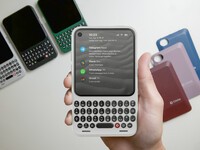
Big Updates for Clicks Communicator
Spec upgrades, new accessories, and more. Last chance to lock in the USD $499 launch price is September 30.
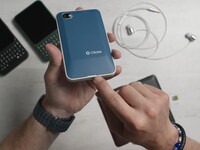
dbrand is bringing two accessories to Communicator
MNML case and Prism screen protector available to add when you configure your Communicator.
Production Communicator Battery Prioritizes Safety and Longevity
Communicator packs a 4,350 mAh battery rated for 800+ charge cycles

Clicks Care: peace of mind for accidents
Accidental damage and extended warranty for Clicks Communicator