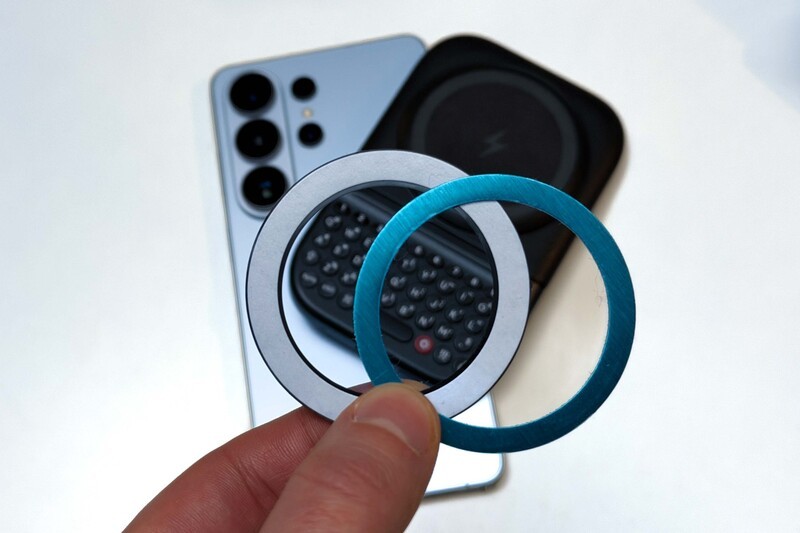
The Clicks Power Keyboard relies on a high-strength magnetic connection to "snap" onto the back of your smartphone.
While this is a native feature for some devices, Samsung Galaxy phones just refuse to adopt this feature. Having a built-in magnetic ring in the chassis is standard with many other phones, but not galaxy devices. At least not as of 2026.
Having no magnetic ring on your phone, this is a simple hurdle to clear, and it shouldn't stop you from reclaiming your screen.
To experience the tactile precision of Clicks on a Galaxy device, you simply need to provide a magnetic landing spot. There are two primary ways to do this, both of which take seconds to set up.
Option 1: MagSafe-Compatible Cases
The most popular solution is to use a Magnet case. While MagSafe is a brand name, the technology is just a ring of magnets.
Thousands of third-party cases for the Galaxy S26, S25, and S24 include this magnetic ring.
Once the case is on your phone, the Clicks Power Keyboard will snap onto the back, allowing you to use the wireless charging and sliding features immediately.
Option 2: The Adhesive Magnetic Ring
If you love your current case, you can apply a slim, adhesive magnetic ring to the back. Once applied, your Galaxy phone will behave exactly like a magnetic-native device. This allows the Power Keyboard to stay securely attached even when you are typing at high speeds or using the slider in its fully extended position.
A Universal Control Always In Your Pocket
Once you've added magnets to your Galaxy device through one of the above means, the Power Keyboard becomes much more than just a peripheral.
It is a single, pocketable tool that brings a consistent typing experience to your entire ecosystem. The integrated 2,300 mAh battery ensures that whether you are wirelessly topping up your Galaxy S26 or pairing with a tablet at a café, you always have the power to stay productive.
Just one quick note - if you're using one of the quality but budget friendly Galaxy devices that doesn't have built-in wireless charging, adding a magnetic ring won't magically let you use the Power Keys as a wireless charger (sorry).
But for anyone with a flagship S20-something Galaxy device, wireless charging is standard. So once armed with a magnetic ring or case, your Galaxy smartphone becomes an unstoppable productivity tool
Read more
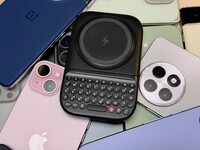
Which Phones is the Clicks Power Keyboard Compatible With?
One of the most frequent questions we receive is whether the new Clicks Power Keyboard will fit a specific phone model. While our original keyboard cases were precision-engineered for specific flagship models. The Power Keyboard marks a significant shift toward universal, cross-device compatibility. Because Power Keys uses a magnetic attachment system rather than a wrap-around...
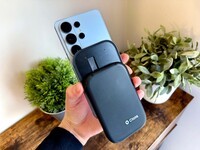
Clicks Power Keyboard: The Samsung Galaxy Compatibility Guide (2021–2026)
One of the most frequent questions we get at Clicks is: "Will it fit my phone?" With the launch of the Clicks Power Keyboard, the answer is almost certainly yes. Unlike our original case-style keyboards, the Power Keyboard uses a universal magnetic slider. This means that as long as your phone has a way to attach to a magnet (built-in, through a compatible case, or by adding a magnetic...
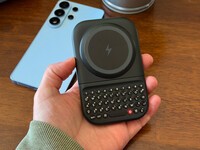
The Samsung Users' Guide to Clicks Power Keyboard
For years, the Samsung Galaxy experience has involved a silent trade-off. We gained some of the most stunning mobile displays in the world, but we keep losing that real estate to the digital keyboard any time we try and get stuff done. The moment you need to reply to a Slack message or draft an email, that virtual keyboard slides up and consumes nearly half of that beautiful Infinity...

Users’ Guide for Clicks Power Keyboard with Meta Quest
Spatial computing and the metaverse have fundamentally changed how we visualize our digital lives, but actually interacting with those worlds can still feel like a step backward. To transform your Meta Quest from a gaming headset into a true productivity engine, you need to look back to a classic tool: the physical keyboard. While the Meta Quest series, from the Quest 3 to the...