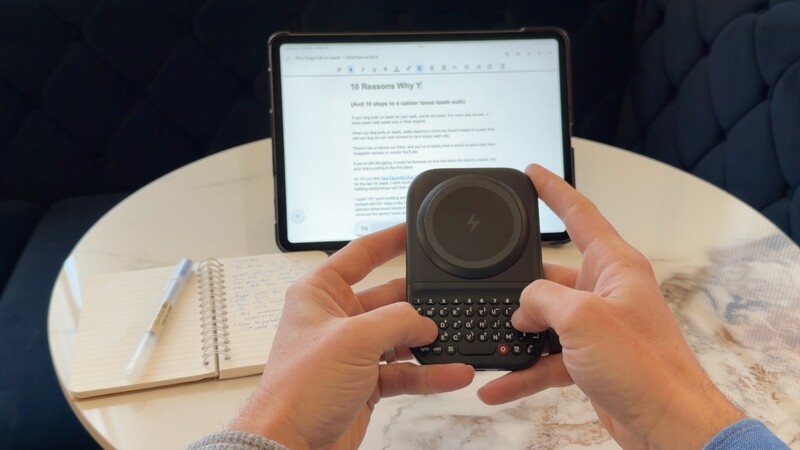
The dream of the "tablet-only" traveler is simple: leave the heavy laptop at home, slip a thin slab of glass into your bag loaded with your favourite books, movies, and games, and head out to conquer the world!
In theory, modern tablets are more than powerful enough to handle a full day's work. In practice, however, the experience often falls apart the moment you need to actually type.
The Clicks Power Keyboard could be the most important accessory you could have that changes you from a person who has a tablet into a person who uses a tablet.
By adding physical keys in a pocketable form to any tablet with a Bluetooth connection, the Clicks Power Keyboard is an absolutely essential accessory for anyone trying to make their tablet more useful.
The Keyboard Accessory Dilemma
While tablets excel at consumption, input remains a persistent challenge. Tapping away on a flat glass screen is fine for a quick search, but it lacks the confidence and speed required for important tasks—like finishing a project proposal or drafting a long-form article. Without tactile feedback, typing feels tentative, and mistakes are constant.
The market has responded with keyboard covers and cases, but these often bring their own set of compromises:
- The Cost of Entry: High-end options like the Apple Magic Keyboard can cost upwards of $300—nearly half the price of the tablet itself.
- Bulk and Weight: These accessories often double the thickness of your device, turning a sleek tablet into something that weighs as much as a laptop.
- Environmental Constraints: Most keyboard cases require a flat, stable surface to function.
- Stationary Design: They force you to be stationary, effectively turning your tablet into a laptop clone rather than a truly mobile tool.
Power Keyboard: The Minimalist's Workstation
Clicks Power Keyboard offers a different path. It is a super-compact, portable keyboard that brings tactile precision to your tablet without the bulk or the price tag of a traditional case.
Reclaiming Your Screen
One of the biggest advantages is visual. On-screen keyboards can consume nearly half of your tablet's display. By pairing with Power Keyboard, that space is returned to you. You can finally see your entire document or spreadsheet while you work, edge-to-edge.
Maximum Versatility, Minimum Weight
Because Power Keyboard is independent of a case, you are free to use a lightweight, inexpensive kickstand cover. This setup takes up significantly less space in your bag and allows you to work in places where a laptop wouldn't fit—from the narrow tray table on an airplane to the driver's seat of your car or a crowded airport lounge.
Whether you're editing a presentation on the train or triaging emails between meetings, Power Keyboard gives you a desk-class typing experience that fits in your pocket.
How to Pair Your Power Keyboard
Getting started with Power Keyboard on your tablet is seamless. The device supports up to three Bluetooth profiles, allowing you to switch between your phone and your tablet in seconds.
- Enter Pairing Mode: When you power on the keyboard for the first time it will automatically enter pairing mode.
- Pick a number Press whichever number you would like to assign between 1-9.
- Connect: Select "Clicks Power Keyboard" in your phone's Bluetooth settings.
Multi-Device Switch: You can pair up to three devices at once. Simply press the Power button on the bottom of the keyboard followed by the 1, 2, or 3 key.
Clear a Channel for a New Device
If you want to pair a new device or remove a previously paired one, you can easily clear a channel:
- Select the channel: Press POWER + channel number (e.g., POWER + 1 for channel 1).
- Clear the channel: Press SYM + 0.
- Ready to pair: That channel is now cleared and available to add a new device. This makes it simple to switch between devices or refresh your pairing without any hassle.
One Keyboard for Your Entire Ecosystem
The true strength of Power Keyboard lies in its versatility. Most people will buy it because they want to use it for their iPhone or Android smartphone, but once they start pairing it with their TV streaming box, AR/VR headset, or even gaming console, it becomes clear that this thing is a universal input tool for your entire digital life.
No matter the device or the environment, Power Keyboard ensures that wherever your ideas appear, typing just works.
Read more
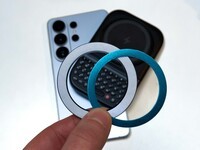
Samsung's Phones Don't Have Magnets But You Can Still Use Power Keys
The Clicks Power Keyboard relies on a high-strength magnetic connection to "snap" onto the back of your smartphone. While this is a native feature for some devices, Samsung Galaxy phones just refuse to adopt this feature. Having a built-in magnetic ring in the chassis is standard with many other phones, but not galaxy devices. At least not as of 2026. Having no magnetic ring on...

Which Phones is the Clicks Power Keyboard Compatible With?
One of the most frequent questions we receive is whether the new Clicks Power Keyboard will fit a specific phone model. While our original keyboard cases were precision-engineered for specific flagship models. The Power Keyboard marks a significant shift toward universal, cross-device compatibility. Because Power Keys uses a magnetic attachment system rather than a wrap-around...
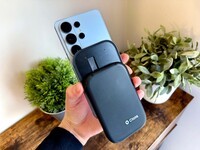
Clicks Power Keyboard: The Samsung Galaxy Compatibility Guide (2021–2026)
One of the most frequent questions we get at Clicks is: "Will it fit my phone?" With the launch of the Clicks Power Keyboard, the answer is almost certainly yes. Unlike our original case-style keyboards, the Power Keyboard uses a universal magnetic slider. This means that as long as your phone has a way to attach to a magnet (built-in, through a compatible case, or by adding a magnetic...
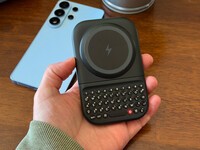
The Samsung Users' Guide to Clicks Power Keyboard
For years, the Samsung Galaxy experience has involved a silent trade-off. We gained some of the most stunning mobile displays in the world, but we keep losing that real estate to the digital keyboard any time we try and get stuff done. The moment you need to reply to a Slack message or draft an email, that virtual keyboard slides up and consumes nearly half of that beautiful Infinity...